 support@thetacoresystems.com
Product Registration Process
Kindly note that technical support services on HelpDesk are available to our customers who have paid subscriptions.
Steps to register MedicProp:
1. Ensure that your computer is connected to the internet before starting the registration process. Launch MedicProp, click on 'Administration', then click on 'Registration' menu as shown below.

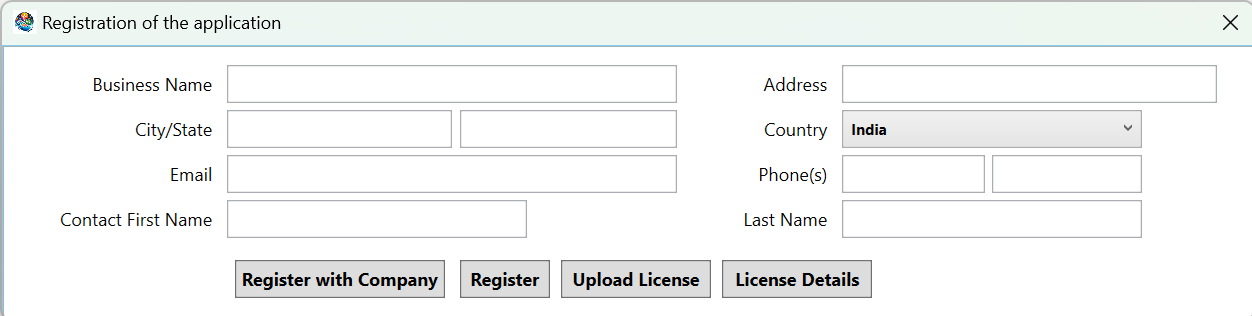
2. Registration screen as shown below will be shown. Enter the details of your business and click on 'Register with Company' button. Clicking on 'Register' button will do only offline registration for your records in the system and this information is used for printing the invoice/customer receipts.
3. If everything goes through successfully, then you will see a confirmation message.
4. After successful registration, you will receive an email from support team containing details for logging on to support HelpDesk.